top of page
FIVE LOAVES PHOTOGRAPHY
1. Open the Supra eKey app and select "My Lockboxes".

2. Select the lockbox that is assigned to the property.

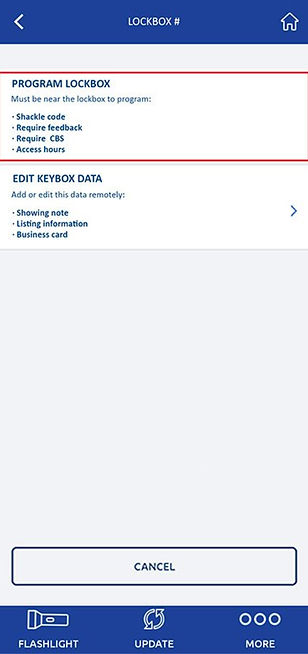
3. Select "Program Lockbox".
4. The CBS code can be found next to "Require CBS". Note that in most situations you will not want to turn on the "Require CBS" option - you just need to copy the code and provide it to us. This code can optionally be changed to a custom code, and many agents change all of their lockboxes to the same custom code for ease of use.

bottom of page